How to Share Airbnb Calendar with Cleaner: Setup Guide
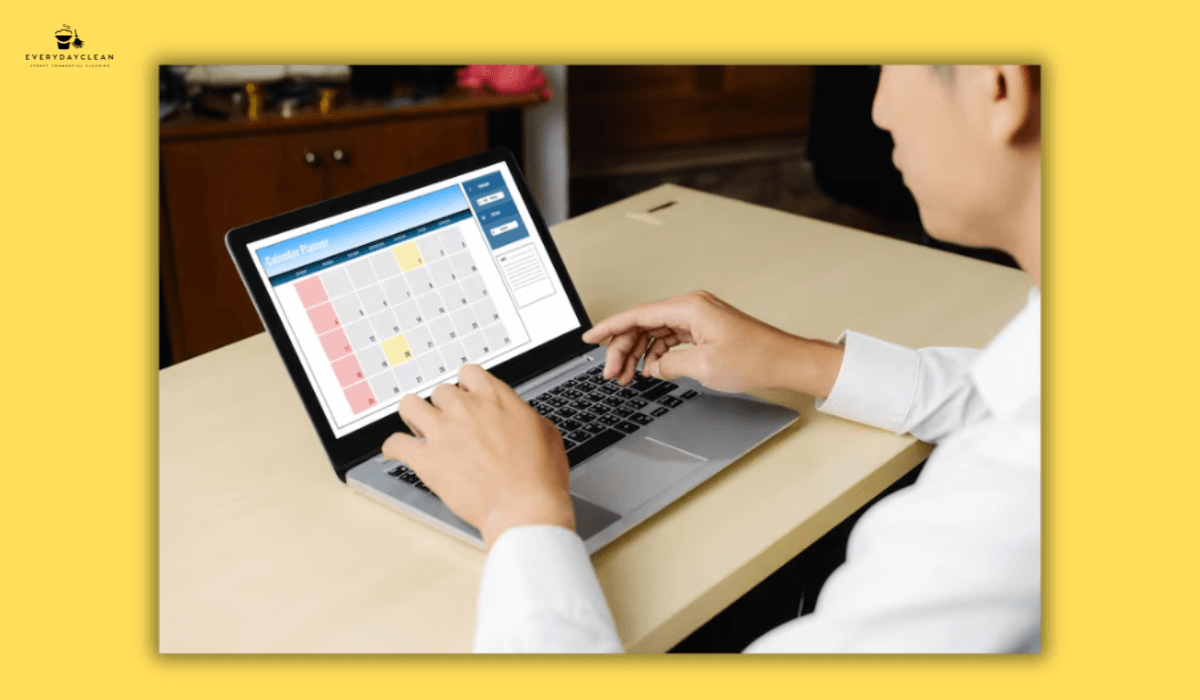
Sharing Airbnb calendars with cleaners streamlines turnover coordination by providing real-time booking visibility, automated scheduling updates, and reduced communication friction between hosts and cleaning teams. Calendar sharing eliminates manual notification requirements, prevents double-booking conflicts, and enables cleaners to plan resource allocation efficiently across multiple properties. This operational integration transforms reactive cleaning coordination into proactive scheduling systems that improve service reliability and guest satisfaction outcomes.
Effective calendar sharing requires understanding Airbnb's native calendar features, third-party integration capabilities, and communication protocols that protect booking privacy while delivering essential turnover information. Hosts manage calendar access through iCal exports, calendar syncing tools, property management software, or direct cleaner platform access, depending on operational scale, technical proficiency, and security preferences.
How to Share Airbnb Calendar Using iCal Export?
Airbnb's native iCal export functionality generates calendar URLs containing booking information that external calendar applications, cleaning management software, or cleaner personal devices import for ongoing synchronization. This method provides straightforward calendar sharing without requiring cleaners to create Airbnb accounts or access host dashboards directly.
Step 1: Access Your Airbnb Calendar Settings
Navigate to the Airbnb hosting dashboard by logging into airbnb.com or the Airbnb hosting app, selecting the target property from the listings menu, and accessing the "Calendar" section through the main navigation panel. Within calendar view, locate the "Availability settings" option typically positioned in the right sidebar or accessible through the settings gear icon, depending on interface version.
Select "Calendar sync" or "Import/Export calendars" from the availability settings menu. This section manages iCal feeds enabling external calendar synchronization, including both importing external bookings into Airbnb and exporting Airbnb bookings to external systems. Ensure proper listing selection when managing multiple properties, as each property generates unique iCal URLs requiring individual export processes.
Step 2: Generate and Copy the Calendar Link
Within the calendar sync interface, locate the "Export calendar" section displaying the unique iCal URL associated with the selected property listing. This alphanumeric URL contains encoded booking data that updates dynamically as reservations confirm, modify, or cancel within the Airbnb system. Click the "Copy link" button to transfer the complete URL to the device clipboard.
The exported iCal URL remains active indefinitely unless manually reset through Airbnb calendar settings, enabling ongoing synchronization without recurring export requirements. However, calendar URLs contain sensitive booking information, warranting careful distribution limited to trusted cleaning partners rather than public sharing or unsecured transmission methods.
Step 3: Share the Link with Your Cleaner
Transmit the copied iCal URL to cleaners through secure communication channels, including encrypted email services, password-protected messaging platforms, or dedicated property management communication tools. Include clear instructions specifying that cleaners should add this URL to their calendar applications rather than opening it directly in web browsers, which may display error messages or incomplete information.
Provide context explaining calendar update frequencies, typically ranging from hourly to daily synchronization intervals, depending on the cleaner calendar applications. Professional Airbnb cleaning services utilize advanced calendar monitoring systems that reduce synchronization delays and improve turnover coordination reliability. Clarify that instant booking confirmations may require 2-4 hours before appearing in synced calendars, necessitating communication protocols for urgent same-day turnovers requiring immediate coordination despite calendar lag times.
Step 4: Guide Your Cleaner Through Calendar Import
Instruct cleaners to open their preferred calendar application - Google Calendar, Apple Calendar, Microsoft Outlook, or specialized cleaning management software supporting iCal imports. Within the calendar application, locate the "Add calendar" or "Subscribe to calendar" function typically found in settings menus or sidebar options.
Paste the Airbnb iCal URL into the calendar subscription field, assign a recognizable calendar name like "Property Name - Airbnb Bookings," and configure display preferences including color coding, notification settings, and visibility within default calendar views. Test synchronization by verifying that existing Airbnb bookings appear within the imported calendar, confirming successful connection establishment.

What Third-Party Tools Help Share Airbnb Calendars?
Third-party property management systems, channel managers, and cleaning coordination platforms offer enhanced calendar sharing capabilities beyond Airbnb's native iCal functionality. These tools provide bidirectional synchronization, automated cleaner notifications, task management integration, and comprehensive booking data unavailable through basic calendar exports.
Property Management Software Solutions
Comprehensive property management systems like Guesty, Hostfully, and Lodgify centralize multi-platform bookings while providing cleaner access portals displaying consolidated calendar information across Airbnb, Booking.com, and direct reservations. These platforms generate automated cleaning tasks synchronized with checkout dates, send cleaner notifications via SMS or email, and track completion status through mobile applications that cleaners use for turnover documentation.
Property management software subscription costs typically range from $20-$100 monthly per property, depending on feature sets, booking volumes, and integration requirements. Hosts managing 3+ properties or juggling multiple booking platforms often find these investments justified through operational efficiency gains, reduced manual coordination, and professional reporting capabilities that basic calendar sharing cannot deliver.
Specialized Cleaning Coordination Platforms
Dedicated cleaning management tools like TurnoverBnB, Properly, and Breezeway focus specifically on short-term rental turnover coordination rather than comprehensive property management. These platforms import Airbnb calendar data via iCal feeds or API connections, automatically generate cleaning tasks for each checkout, and provide cleaner mobile applications showing daily assignments, property access instructions, and quality checklists.
Cleaning coordination platforms often include time tracking, before/after photo documentation, supply inventory management, and direct messaging between hosts and cleaning teams. Pricing structures vary from per-property subscriptions ($15-$40 monthly) to per-turnover transaction fees ($2-$5 per clean), depending on service models and feature utilization levels. Hosts preferring traditional pricing models can review Airbnb cleaning rates per hour to compare cost structure across different service arrangements.
Google Calendar Integration Methods
Google Calendar serves as an accessible intermediary platform for Airbnb calendar sharing when cleaners prefer familiar tools over specialized software. After importing Airbnb iCal feeds into Google Calendar, following standard subscription procedures, hosts configure sharing permission,s granting cleaners "See all event details" access to the imported calendar without full Google account access requirements.
This approach enables cleaners to view booking dates, guest names (if desired), and reservation durations through personal Google Calendar applications on smartphones, tablets, or computers. Hosts maintain sharing control by adjusting permissions, removing access, or regenerating calendar URLs if security concerns emerge regarding former cleaning partners or compromised credential situations.

How to Grant Direct Airbnb Calendar Access to Cleaners?
Airbnb's co-host and team member invitation systems provide direct platform access, enabling cleaners to view booking calendars, communicate with guests, and manage property operations through authenticated Airbnb accounts. This method delivers superior calendar accuracy, real-time synchronization, and expanded functionality compared to iCal exports, though it requires careful permission configuration to prevent unauthorized booking modifications or financial access.
Add Cleaner as Co-Host
Navigate to the Airbnb hosting dashboard, select "Account" from the main menu, and access the "Listings" section showing all active properties. Choose the specific property requiring cleaner access and select "Co-hosts" from the listing management options. Click "Invite a co-host" to initiate the invitation process, requiring the cleaner's email address associated with an existing Airbnb account or triggering account creation during acceptance.
Configure co-host permissions carefully by selecting "Calendar management" and "Messaging guests" if cleaners require guest communication capabilities for access coordination or damage reporting. Disable permissions, including "Pricing and availability," "Booking management," and "Financial information," unless cleaners genuinely require these capabilities for their service scope. Review permission descriptions thoroughly, understanding that co-hosts' access to sensitive booking data and guest contact information warrants trust-based relationships.
Set Up Team Member Accounts
Airbnb Professional Hosting Tools available for hosts managing multiple listings or demonstrating consistent booking performance include team member functionality providing granular access controls beyond standard co-host permissions. Team member invitations proceed similarly to co-host additions but offer customizable permission sets, including "Housekeeping" roles specifically designed for cleaning team access.
Housekeeping team members view booking calendars, access property addresses and access instructions, and communicate regarding turnover coordination without broader dashboard access or financial data visibility. This restricted access model suits professional cleaning companies or individual cleaners requiring only information essential for service delivery rather than comprehensive property management capabilities.
Configure Permission Levels Appropriately
Evaluate cleaner access requirements realistically before granting permissions that exceed operational necessities. Calendar viewing and basic property information suffice for most cleaning relationships, eliminating justification for pricing controls, booking modifications, or payout access that introduce financial risks or potential conflicts between hosts and cleaning partners.
Document granted permissions, review access lists quarterly, and promptly revoke credentials when cleaning relationships terminate or staff changes occur within cleaning companies. Airbnb provides access audit logs showing team member activities, though reviewing these logs requires proactive host engagement rather than automatic alerts for suspicious access patterns.
What Information Should Cleaners See in Shared Calendars?
Shared calendar configurations balance operational information requirements against guest privacy protection and host security concerns. Effective calendar sharing provides turnover-essential data, including checkout dates, cleaning deadlines, and property access windows, while limiting unnecessary exposure of guest names, contact information, or booking financial details.
Essential Booking Details
Cleaners require accurate checkout dates and times, enabling precise turnover scheduling aligned with guest departure windows. Checkout time visibility prevents cleaners from arriving prematurely while guests occupy properties or delaying arrivals that compromise subsequent guest check-in timing. Standard Airbnb listings specify 10:00 AM or 11:00 AM checkouts, though custom checkout times necessitate clear calendar communication. Everyday Clean synchronizes with host calendars to ensure precise turnover timing aligned with property-specific check-out schedules.
Check-in dates and times help cleaners understand turnover urgency levels. Same-day turnovers, where 2:00 PM check-ins follow 11:00 AM checkouts, demand different preparation compared to next-day turnovers, providing overnight buffers for thorough cleaning and quality verification. Calendar systems displaying both checkout and check-in information enable cleaners to prioritize assignments appropriately.
Booking duration context assists inventory planning and cleaning intensity assessment. Week-long guest stays typically generate heavier cleaning requirements than overnight stays, affecting chemical consumption, linen quantities, and time allocations. Calendar displays showing reservation lengths rather than isolated checkout dates provide this operational context.
Optional Guest Information
Guest names visible in shared calendars personalize service delivery, enabling cleaners to address specific guest preferences or recognize repeat visitors, warranting special attention. However, guest names constitute personal information requiring privacy consideration, particularly when sharing calendars with cleaning companies employing multiple staff members who access shared booking data.
Guest contact information, including phone numbers or email addresses, generally exceeds cleaning coordination requirements unless hosts specifically authorize cleaners to communicate directly regarding access issues, damage deposits, or lost property situations. Most operational models maintain host intermediary roles in guest communication, limiting cleaner access to contact information, reducing liability, and maintaining professional service boundaries.
Special requests or booking notes may contain valuable cleaning guidance, including accessibility requirements, pet presences, or extended guest counts affecting linen and amenity needs. Property management systems often display these notes within cleaner task assignments, while basic iCal exports typically exclude detailed booking annotations requiring supplementary communication.
Property Access Instructions
Integrate property access information with calendar sharing systems to provide comprehensive turnover guidance consolidated in a single reference point. Access instructions, including lockbox codes, smart lock credentials, key locations, or building entry procedures, enable cleaners to execute turnovers independently without last-minute coordination or emergency assistance requests.
Update access instructions promptly when security changes occur through code rotations, lock replacements, or building management policy modifications. Cleaning teams servicing multiple properties benefit substantially from centralized access documentation integrated with calendar systems rather than scattered across text messages, emails, or verbal communications susceptible to loss or confusion.

How to Maintain Calendar Sharing Security?
Calendar sharing introduces security considerations requiring protective measures that prevent unauthorized access, limit information exposure, and enable rapid response when security compromises occur. Proactive security management protects both host business interests and guest privacy expectations regarding booking data confidentiality.
Use Secure Transmission Methods
Transmit calendar URLs and access credentials exclusively through encrypted communication channels rather than unsecured SMS messages or public social media platforms. Email services offering end-to-end encryption, password-protected document sharing platforms, or dedicated property management software messaging systems provide appropriate security levels for sensitive calendar information.
Avoid posting calendar links in public forums, social media groups, or online marketplaces where malicious actors harvest exposed URLs for data mining, competitive intelligence, or fraudulent booking schemes. Restrict calendar distribution to verified cleaning partners following background verification and contractual agreement establishment.
Reset Calendar Links Periodically
Regenerate Airbnb iCal export URLs quarterly or following cleaner relationship terminations to invalidate previously distributed calendar links. Airbnb calendar settings include "Reset link" options that generate new URLs while deactivating former links, preventing continued access by former cleaning partners or individuals who obtained calendar URLs through unauthorized channels.
Document calendar URL distribution dates and recipients to maintain awareness of active access points requiring invalidation during security reviews. This tracking enables comprehensive security audits, identifying potential exposure risks requiring immediate remediation through link regeneration and selective redistribution.
Monitor Access and Usage
Review co-host and team member access logs periodically to verify appropriate platform usage patterns and detect anomalous activities suggesting credential compromise or unauthorized access. Airbnb provides activity histories showing login times, accessed properties, and performed actions, enabling hosts to validate legitimate cleaner activities versus suspicious behavior requiring investigation.
Implement notification systems alerting hosts to specific actions, including booking modifications, pricing changes, or guest communications, when these activities exceed the expected cleaner scope. While Airbnb provides limited automated security alerts, third-party property management platforms often include customizable notification rules triggering immediate awareness of unexpected account activities.
Revoke Access Promptly
Terminate calendar sharing access immediately when cleaning relationships end, staff turnover occurs within cleaning companies, or security concerns emerge regarding credential confidentiality. Prompt access revocation prevents former partners from monitoring booking calendars, accessing guest information, or potentially interfering with property operations through retained platform credentials.
Maintain cleaner contact information and access documentation in centralized records, enabling efficient credential revocation even during urgent situations requiring immediate action. Calendar URL resets, co-host invitation withdrawals, and team member removals should complete within minutes rather than be delayed by searches for distribution records or access configuration details.

FAQs
Understanding common calendar sharing questions helps hosts implement effective coordination systems while avoiding security pitfalls and operational complications.
Can cleaners book or modify reservations through shared calendars?
iCal calendar sharing provides read-only access, preventing cleaners from modifying bookings, adjusting pricing, or creating reservations through imported calendars. However, Airbnb co-host and team member access can include booking modification permissions when hosts configure these settings during invitation processes. Review and restrict permissions to calendar viewing only unless cleaners genuinely require booking management capabilities for legitimate operational reasons. Most cleaning relationships function effectively with view-only access, eliminating modification risks.
How often do shared Airbnb calendars update?
Airbnb iCal calendars update at varying intervals depending on recipient calendar applications rather than Airbnb-controlled schedules. Google Calendar typically refreshes subscribed calendars every 8-24 hours, while Apple Calendar and Microsoft Outlook follow similar periodic synchronization patterns. Instant bookings may require several hours before appearing in shared calendars, necessitating direct communication for urgent same-day turnovers requiring immediate cleaner notification beyond calendar synchronization timing.
What happens if I reset my Airbnb calendar link?
Resetting Airbnb calendar export links generates new URLs while immediately invalidating previously distributed links. Cleaners using old calendar URLs will stop receiving booking updates as previous connections break upon reset execution. After resetting, distribute new calendar URLs to current cleaning partners requiring access. This security measure enables access revocation for former cleaners or compromised credentials without affecting ongoing operations once legitimate partners receive updated calendar links.
Can I share different calendars with multiple cleaners?
Hosts managing multiple properties or utilizing different cleaning teams for various listings can share property-specific calendar URLs with corresponding cleaners rather than granting universal access to entire portfolios. Each Airbnb listing generates unique iCal export URLs enabling selective sharing aligned with cleaner assignments. Configure separate co-host or team member invitations for individual properties when using direct Airbnb access methods, ensuring cleaners view only calendars relevant to their service responsibilities.
Do cleaners need Airbnb accounts to access shared calendars?
iCal calendar sharing does not require cleaners to maintain Airbnb accounts, as calendar imports function through standard calendar application subscriptions using provided URLs. However, Airbnb co-host and team member access methods require cleaners to create free Airbnb accounts using valid email addresses before accepting host invitations. Most cleaners servicing multiple Airbnb properties already maintain platform accounts, though some prefer avoiding account creation, favoring iCal methods for simpler calendar access without platform registration requirements.
Conclusion
Sharing Airbnb calendars with cleaners transforms short-term rental operations from reactive coordination into streamlined automated systems that reduce communication overhead, prevent scheduling conflicts, and improve turnover reliability. Whether implementing basic iCal exports, utilizing third-party property management platforms, or granting direct Airbnb co-host access, effective calendar sharing delivers operational transparency that benefits both hosts and cleaning partners through improved efficiency and reduced error rates.
The calendar sharing method selection depends on operational scale, technical comfort levels, and security preferences. Single-property hosts managing occasional bookings often find iCal exports sufficient for basic coordination needs, while multi-property operators benefit from comprehensive property management systems offering automated cleaner notifications, task tracking, and performance analytics. Direct Airbnb access provides superior real-time synchronization but requires careful permission configuration, protecting against unauthorized booking modifications or financial data exposure.
Successful calendar sharing implementation extends beyond technical setup to encompass security protocols, clear communication guidelines, and regular access reviews, ensuring continued system integrity. Periodic calendar link resets, prompt credential revocation following relationship changes, and encrypted transmission methods protect sensitive booking information while maintaining operational functionality. When combined with professional cleaning partnerships and clear service agreements, calendar sharing creates reliable turnover systems that enhance guest experiences, protect property standards, and enable scalable hosting operations across growing property portfolios.
Australian Airbnb hosts implementing these calendar sharing strategies position themselves for operational excellence in competitive short-term rental markets where consistent quality, reliable turnovers, and efficient coordination separate successful hosting businesses from struggling operations vulnerable to negative reviews and occupancy challenges.